Free
€0 / month
- 5 personal notifications per week
- 1 channel post per week
 TGpipe
ChatGPT → Telegram
TGpipeSend ChatGPT results straight to Telegram
Get personal notifications or publish to Telegram channels — right from ChatGPT
The problem
ChatGPT can write posts, track updates, and generate reports. But getting those results into Telegram still takes manual work
The solution
Connect your Telegram bot to TGpipe, then ask ChatGPT to post to your channel or send you a private update - right away or on a schedule.
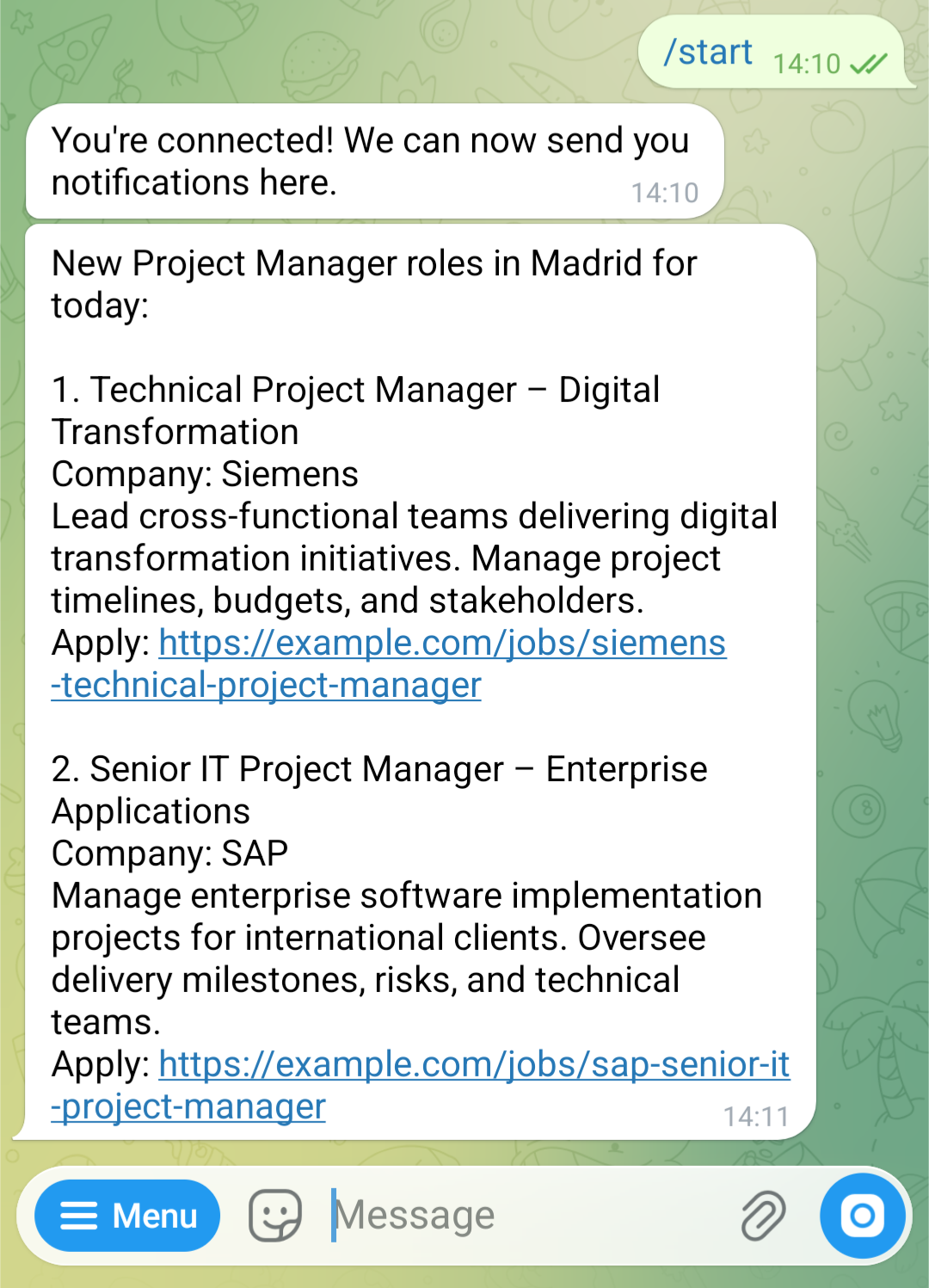
Every day, look for IT and Technical Project Manager jobs in Madrid, Spain, posted in the last 24 hours. Skip expired listings and any jobs you’ve already sent me.
Send me one short digest via TGpipe, with each role’s title, company, key responsibilities, and a direct application link. If there’s nothing new, don’t send a message
Set it up as a daily task: a fresh search each day, with summaries and application links delivered to your private Telegram chat
Find yesterday’s biggest financial market story and post a post for my Telegram channel "Biggest financial market news" via TGpipe. Explain what happened, why it matters to investors, and include a source link
ChatGPT writes the post and publishes it straight to your channel with TGpipe

Pricing
Choose the plan that fits your Telegram flow
€0 / month
€5 / month
Setup
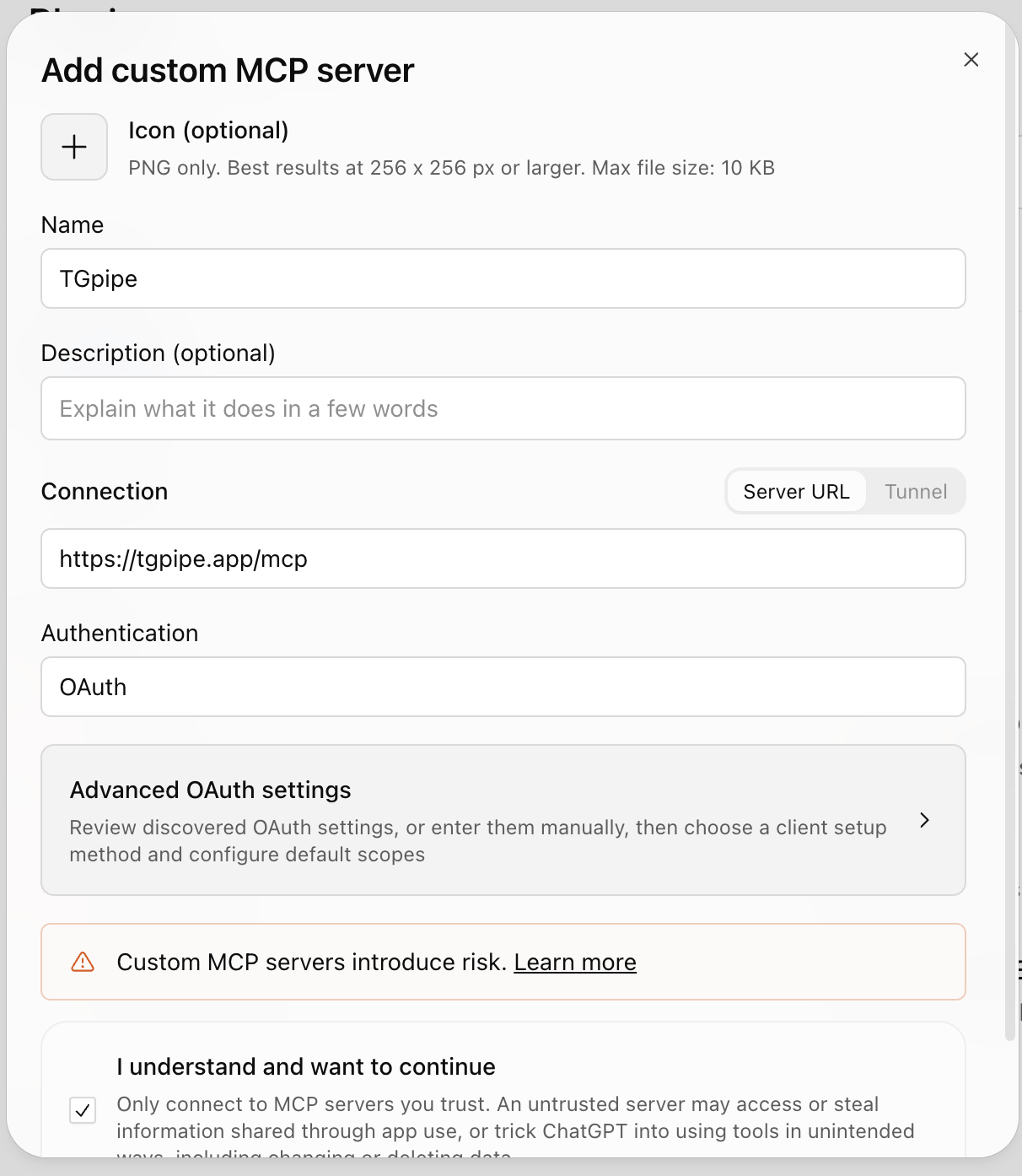
Open ChatGPT Plugins and select Add → Add custom MCP server.
Review the notice, select I understand and want to continue, then Create as a plugin.
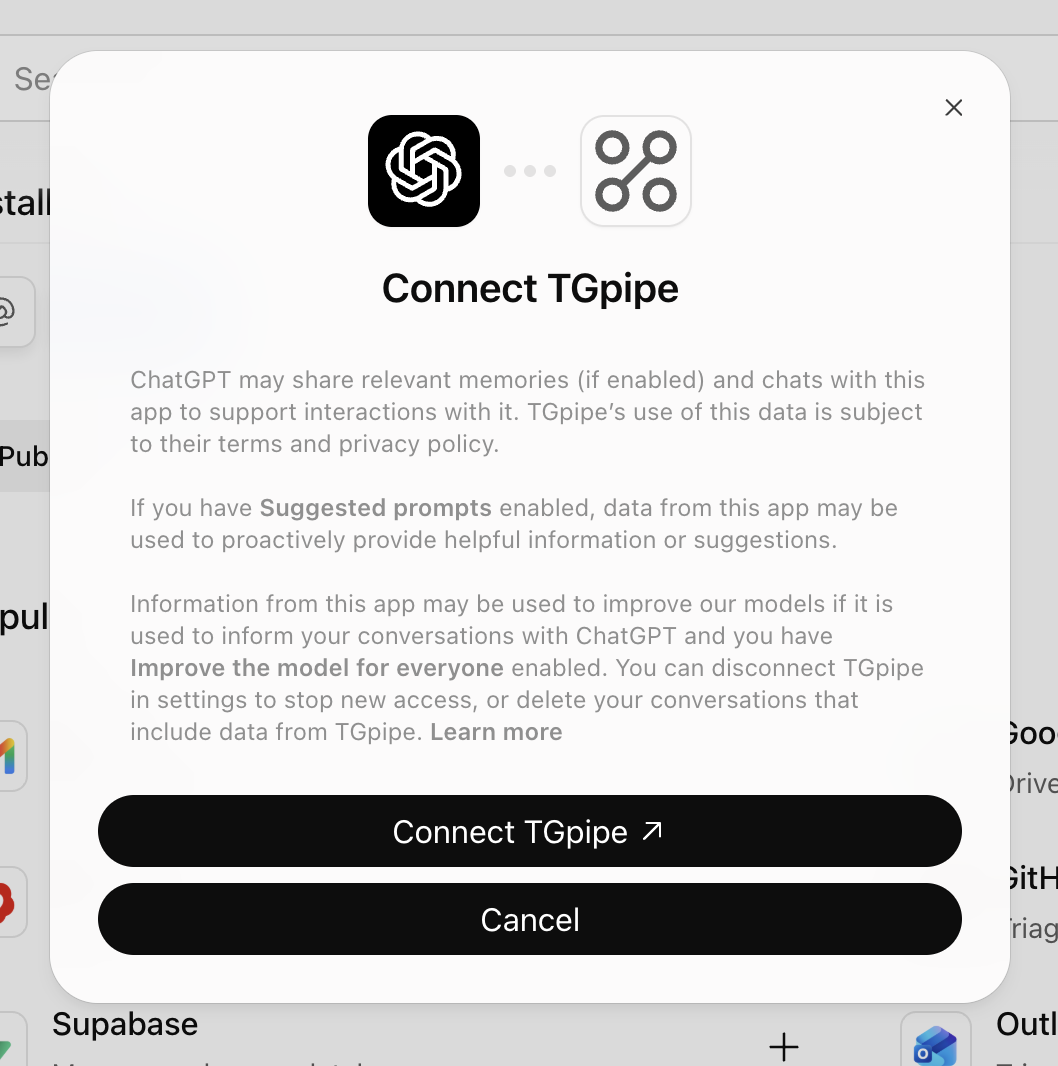
In the window that appears, select Connect TGpipe.
Follow the sign-in prompts to authorize the connection, then return to ChatGPT.
Start a new chat in ChatGPT and send:
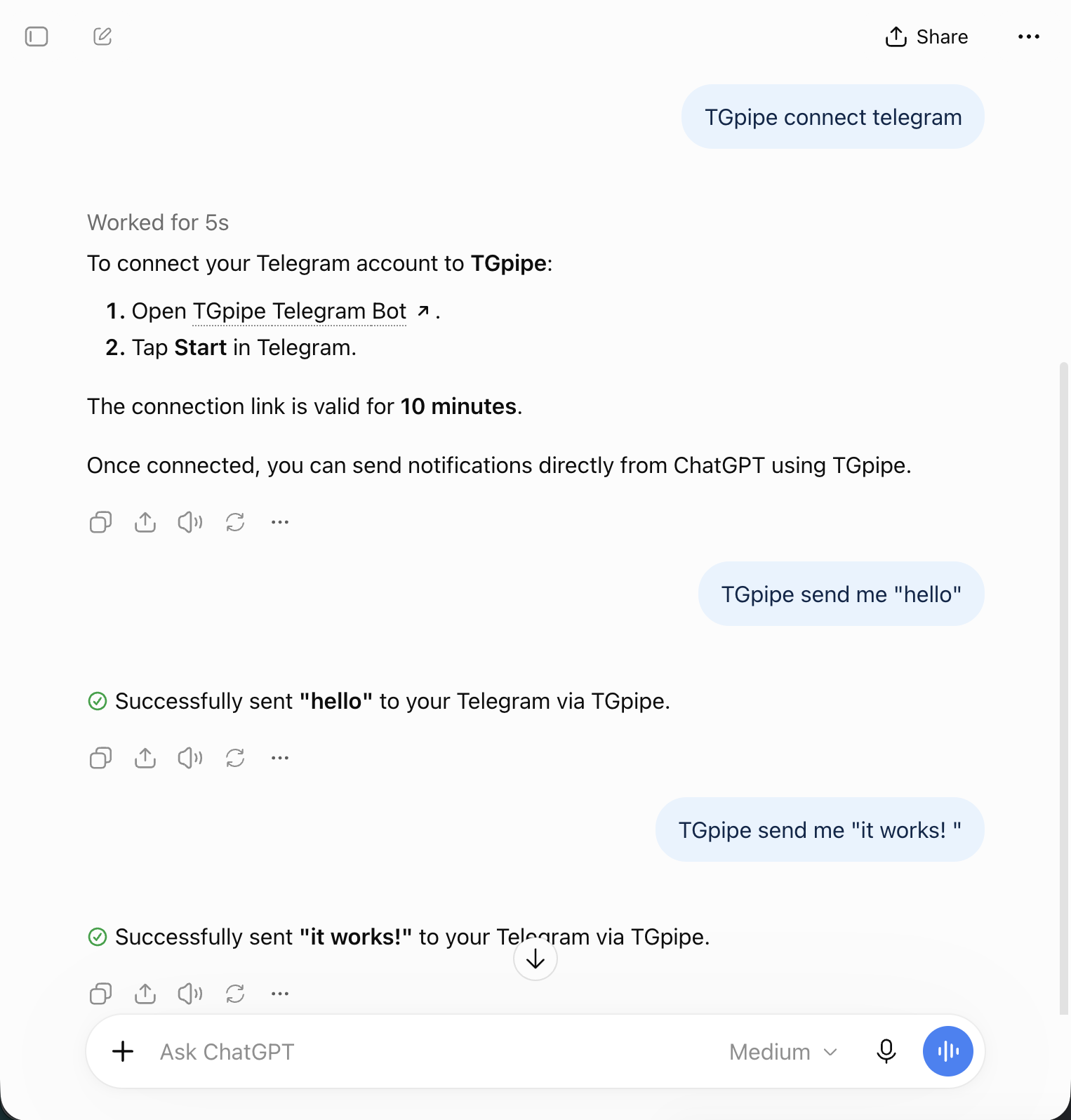
TGpipe connect telegram
Open the Telegram link in the reply and tap Start to connect your account.
Then start a new chat and send a test notification:
TGpipe send me "hello"
Check Telegram for your message. You’re connected!